
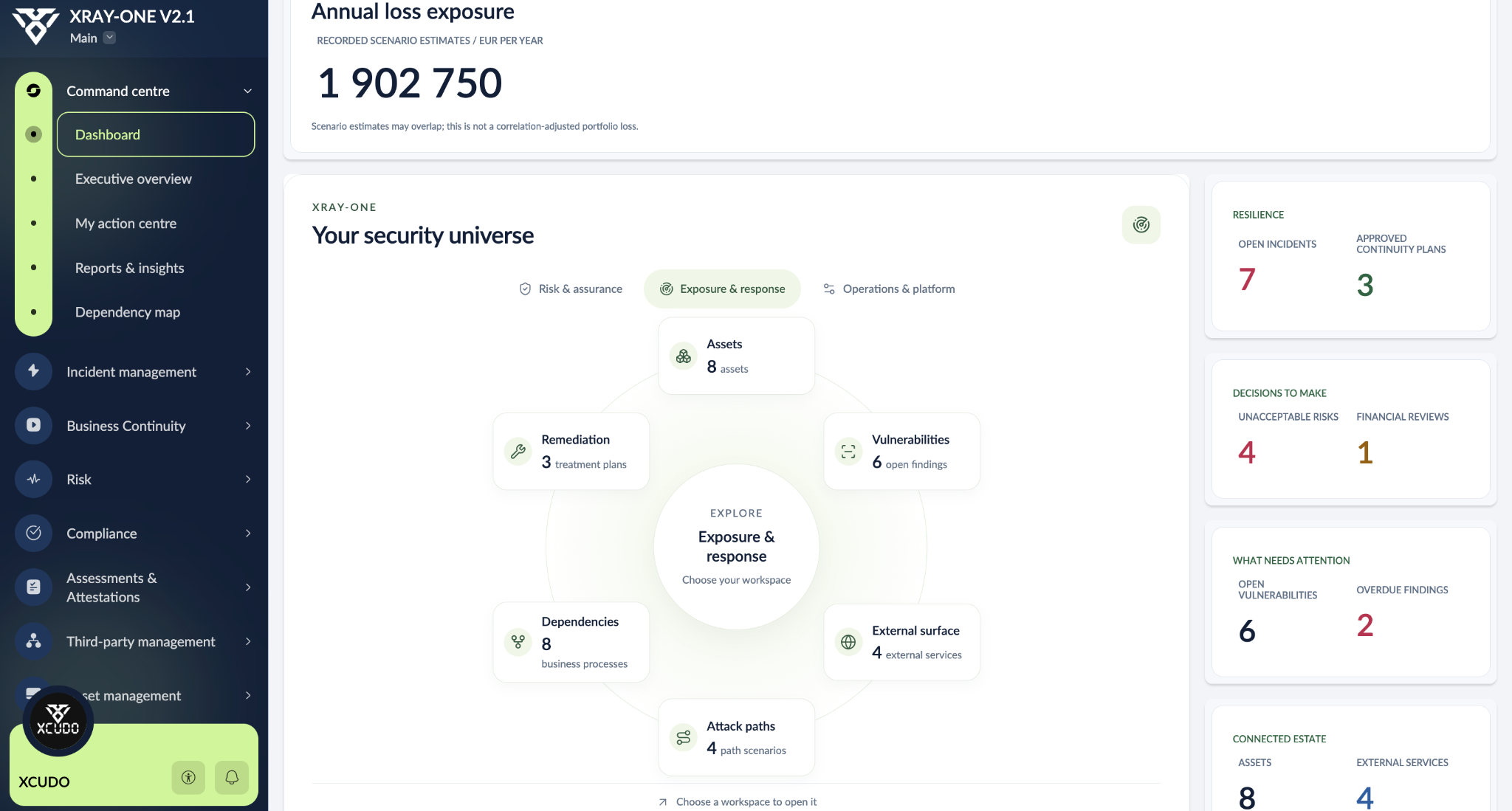
A critical asset depends on a supplier. That asset has a vulnerability, supports a business process and appears in a risk scenario. There is also a control to review and a remediation action underway. Keeping those relationships visible helps when it is time to decide what deserves attention first.
That is why we built XRAY-ONE v2.1: a Zoho Creator application that brings cyber resilience management together and keeps context connected across teams. We are sharing the complete guide so you can build it in your own account, understand its logic and adapt it.
Start with the bigger picture
The command centre brings together the dashboard, executive overview, action centre and reports. Workspace navigation takes you from an overview to the records that need attention: risks above the accepted level, outstanding assessments, open incidents or vulnerabilities in progress.
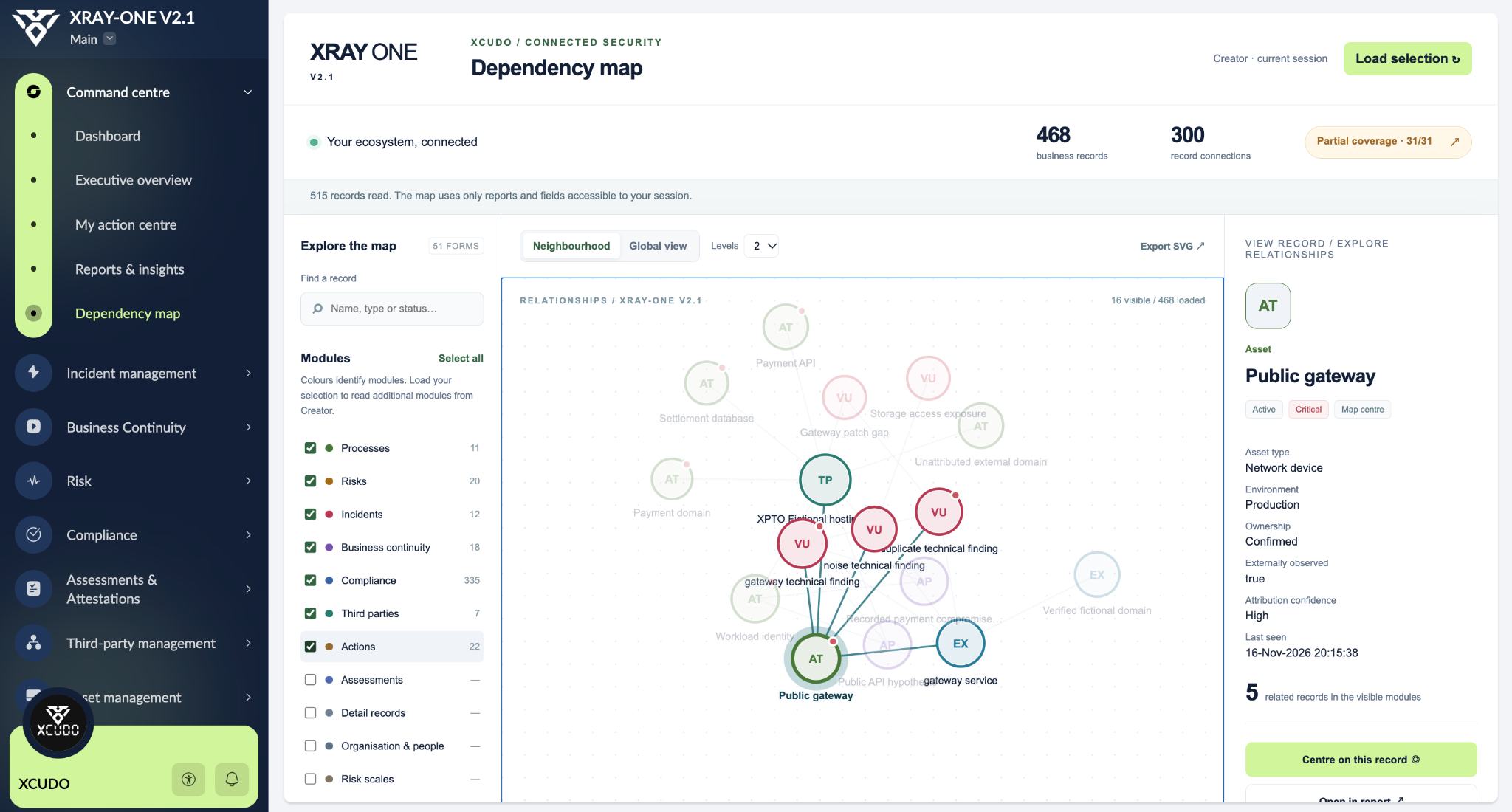
The dependency map adds another perspective. Select a record and explore its relationships with assets, suppliers, processes, risks and other areas. The neighbourhood view helps investigate a case; the global view helps reveal the wider network of connections. The map respects the records available to the current user and shows relationships held in the application.
Risk with context, owners and decisions
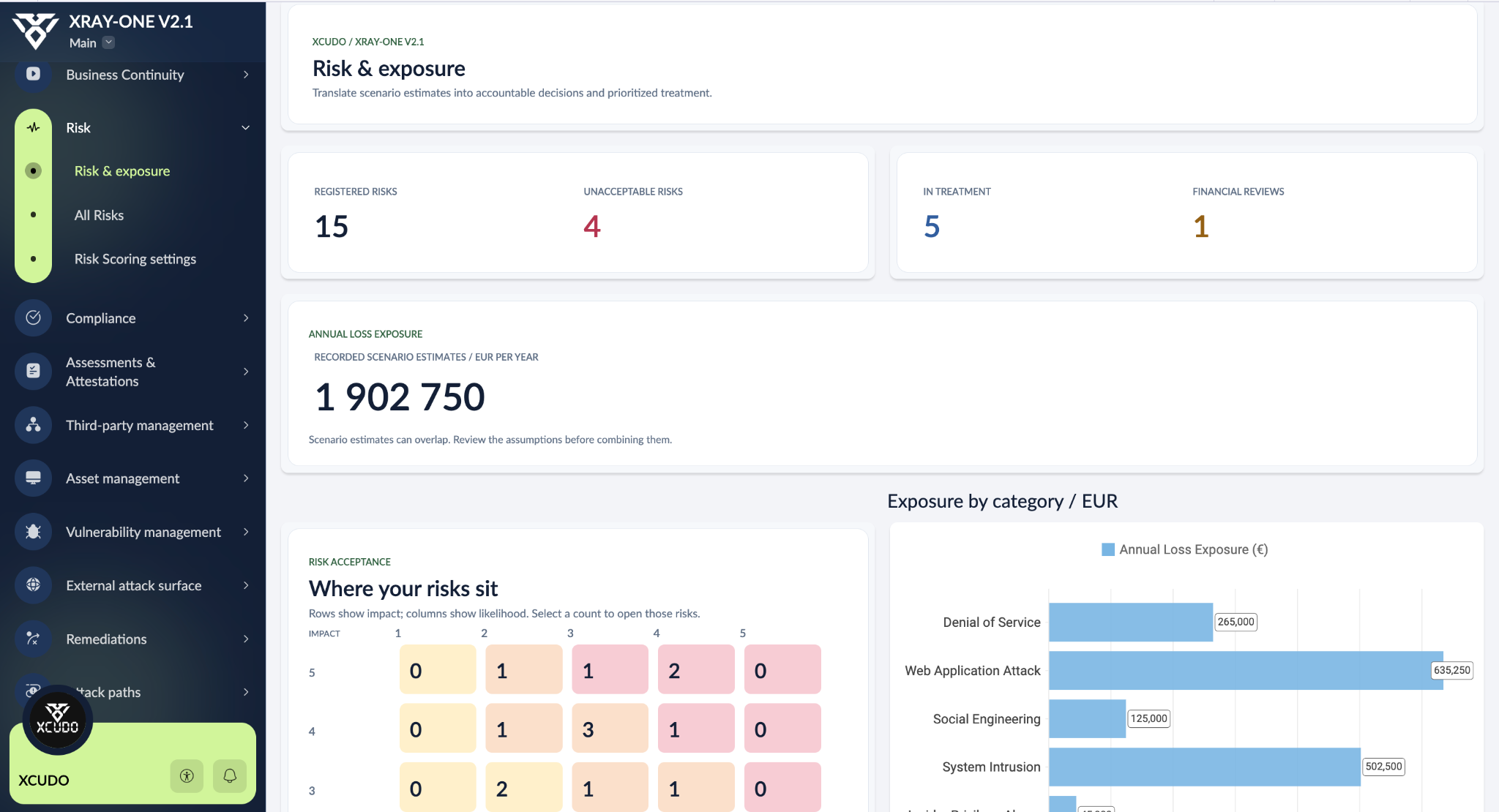
The risk register connects each scenario to its business context. Impact and likelihood scales support ratings and the risk acceptance matrix. From the matrix, you can open the risks in a particular position and follow their owners, decisions and treatment status.
Financial assessments record frequency, impact and assumptions to estimate annual loss exposure. Versioning and approval help maintain the assessment history. Treatment comparisons show the expected annual loss reduction of each option and the information supporting it. These are scenario estimates: assumptions and overlapping risks need review before values are added together.
Compliance and evidence in the same process
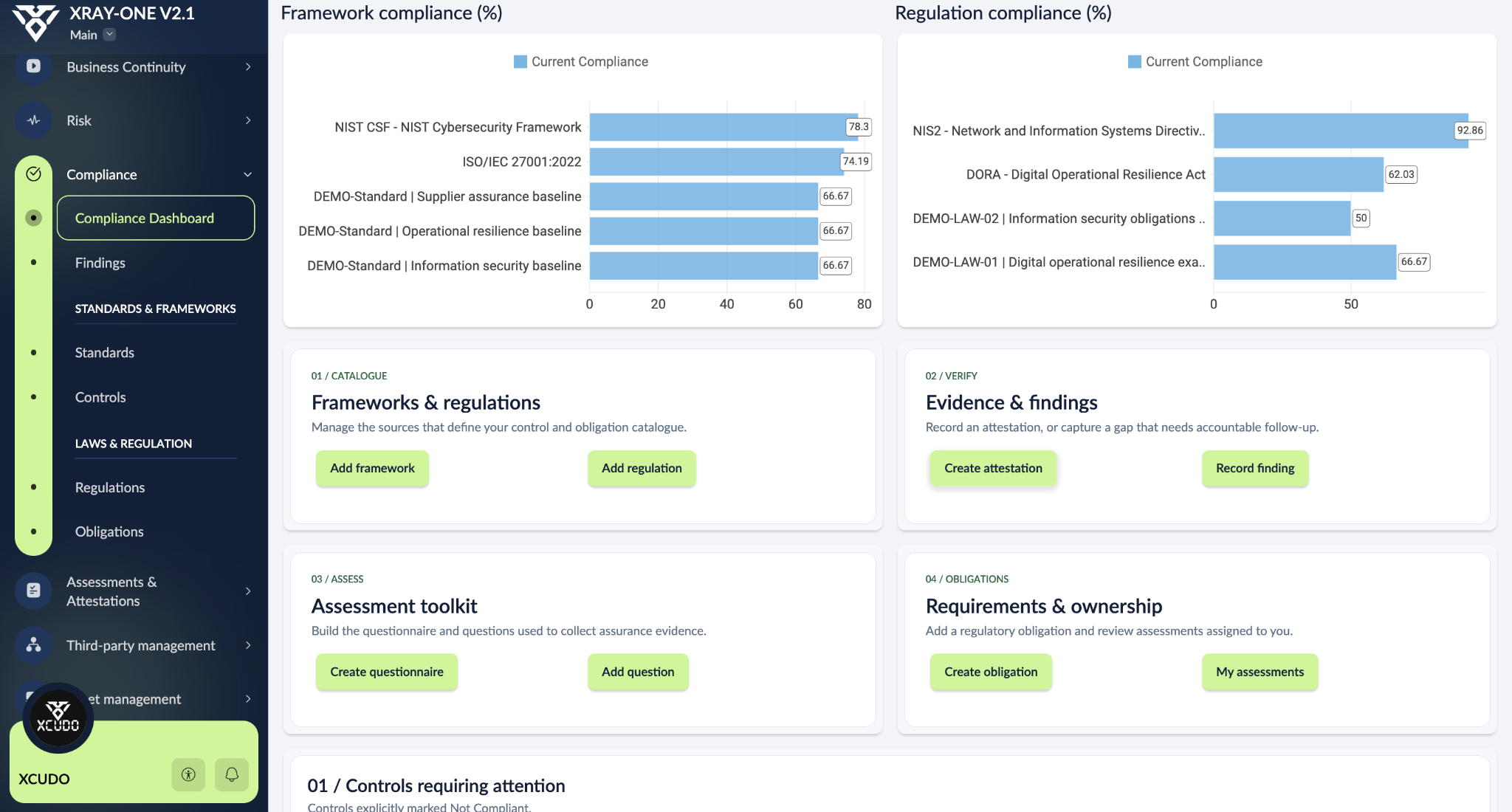
The compliance workspace holds frameworks and their controls alongside regulations and obligations. Work can be related to frameworks such as ISO/IEC 27001 and NIST CSF and obligations associated with DORA and NIS2, with the catalogue adapted to the organisation’s scope.
Questionnaires, assessments and attestations help gather information and evidence. When there is a gap, the finding retains its link to the control or obligation and the follow-up required. Dashboard indicators take you to the records behind a result.
Suppliers, assets and external exposure
Third-party management organises supplier relationships through stages such as due diligence, active and inactive. Asset records hold owners, criticality, lifecycle, suppliers and supported processes. These links make it easier to understand the context of an external dependency.
The external attack surface workspace maintains records of observed domains, services and endpoints, including attribution, confidence and last-seen information. It helps distinguish inventory records from external observations that still need validation.
From a vulnerability to remediation
Each technical finding can connect to its asset, risk scenarios and remediation. The workflow follows detection, validation, assignment, treatment and verification, with classifications such as duplicate, false positive and not applicable. Teams can follow the work beyond a vulnerability count.
Treatment plans bring together actions, owners and financial impact options. The aim is to document the choice, follow delivery and keep the evidence needed to verify the outcome.
Explore recorded attack paths
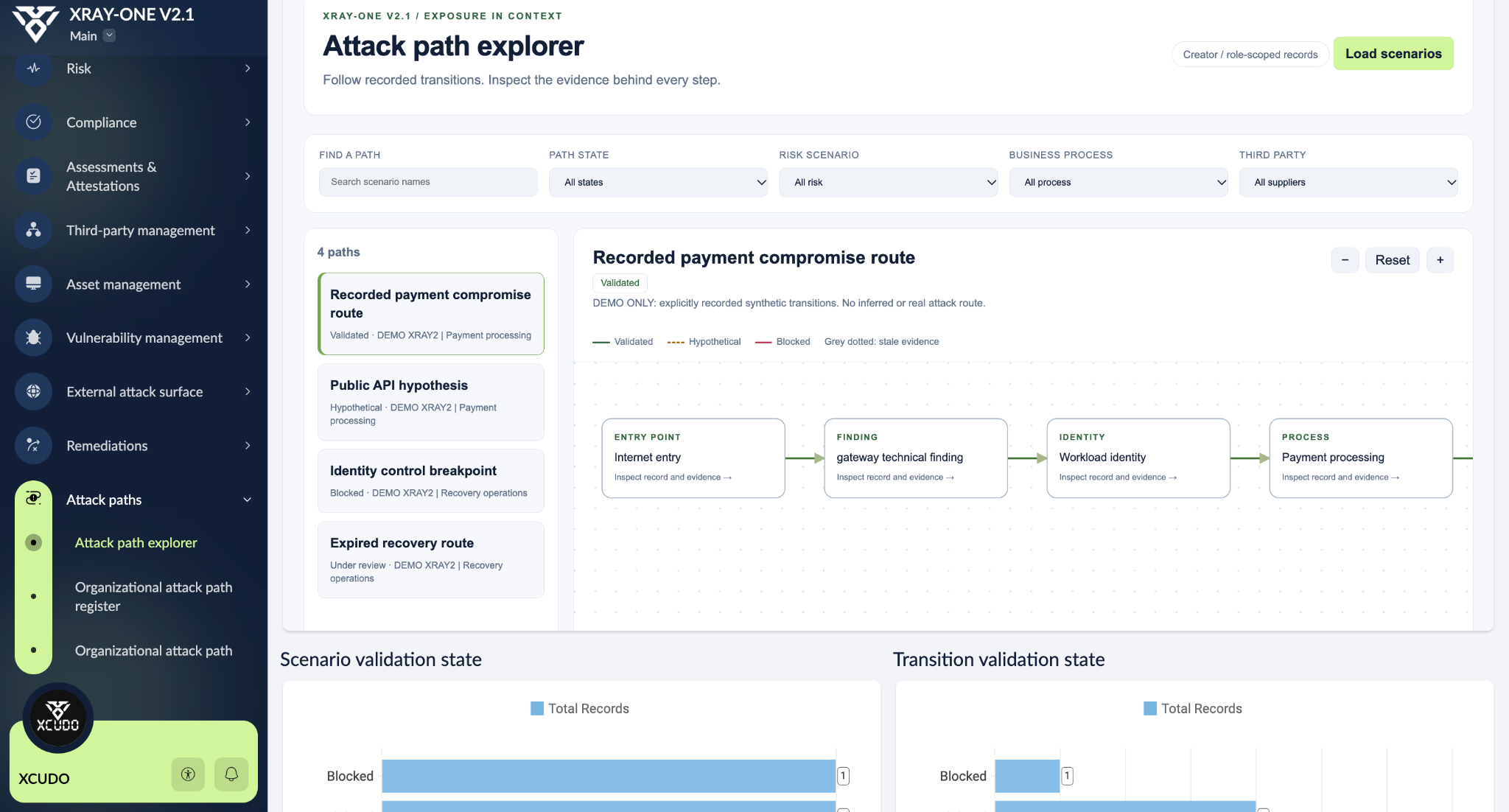
The attack path explorer organises transitions between elements such as an entry point, finding, identity and business process. Each step can be inspected through its associated records and evidence. Validated, hypothetical and blocked states help distinguish confirmed information from what still needs testing.
These paths are scenarios explicitly recorded in the application. The view represents available knowledge and evidence about those transitions; it does not execute attacks or automatically infer a real compromise route.
Incidents, continuity and recovery
Incident management holds the case, its context and a timeline of events. Connections to risks and actions let teams use what happened to revisit assessments and follow improvements.
Business continuity starts with the business impact analysis (BIA) and the processes that need to be recovered. Continuity plans, recovery steps and exercises help organise owners, recovery objectives and test observations. Impact, dependencies and response remain connected to the rest of the platform.
Why we chose Zoho Creator
Zoho Creator was chosen for its combination of operational reliability, security and information protection — essential considerations for a platform that brings together organisational risk, asset and vulnerability data. Zoho’s cloud services are covered by ISO/IEC 27001, 27017, 27018 and 27701 certifications, addressing information security management, cloud security and privacy, and by independent SOC 2 Type II audits. Its infrastructure provides redundancy, backups and recovery mechanisms, while the platform offers controls such as multifactor authentication, role-based permissions and encryption. This foundation allows XRAY-ONE development to focus on cyber resilience management, supported by infrastructure with documented security practices that undergo external assessment.
Control over data was equally important. By building XRAY-ONE in their own Zoho account, each organisation retains ownership of its information and manages the application’s users, permissions and sharing rules. Audit trails help track changes, while export and backup options give teams ways to preserve and reuse their data. Accounts associated with the European region are hosted in data centres within the European Union. These capabilities allow the application to be adapted to internal security policies and information protection requirements, keeping decisions about who can access data and how it is used within the organisation.
Certifications and reports refer to Zoho services within the provider’s published scope. Application configuration and validation remain part of implementation.
Read Zoho’s documentation on certifications and audits, security and availability, infrastructure and regions and the shared responsibility model.
The guide is free. You make it your own.
The build guide has 51 pages and 29 chapters, alongside a 1,025-page complete technical reference and a searchable HTML edition with the source reference included. The download also contains a field dictionary, an acceptance checklist and editable documentation. The files are in English.
You can get everything through the form on the XRAY-ONE page. Ongoing news is optional. You will need a suitable Zoho Creator account and plan to build and use the application.
If you would rather reduce the preparation work, we are planning an optional paid implementation pack for later. The guide remains free for anyone who wants to learn and build it themselves. This is our contribution to the community.
XRAY-ONE is an independent XCUDO initiative. Screenshots use demonstration data; the documentation is community review edition 0.2.